Free Notion Wedding Planner Template
Download the ZIP, then import it into Notion: the dashboard page as Markdown and four CSV files as databases — Guest List, Budget (with a suggested split), Vendors (10 common vendor types) and a 50+ task Checklist grouped by month. It works on Notion's free plan.
Download
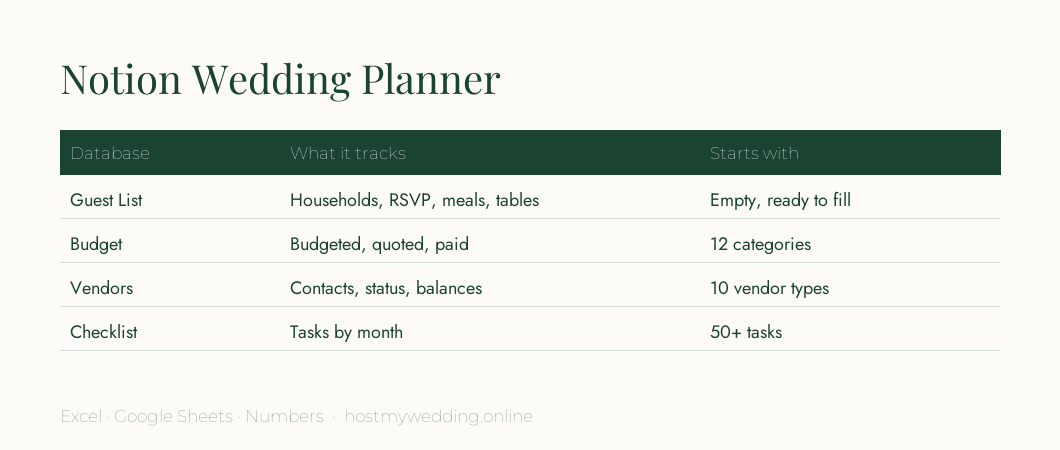
- Download: Notion wedding planner (ZIP · Markdown + CSV)
How to import it into Notion
- Unzip. Extract the ZIP — you'll see Wedding Planner.md, four CSV files and a README.
- Import the dashboard. In Notion, open a page, click ••• → Import → Text & Markdown, and choose Wedding Planner.md.
- Import the databases. Repeat with Import → CSV for Guest List, Budget, Vendors and Checklist.
- Link them. On the dashboard, type /linked view and add each database — filter the checklist by month.
- Share. Invite your partner and planner to the page so everyone works from one place.
Make it work harder
- Turn the RSVP column into a Select property (Yes / No / Pending) and add a board view.
- Change Budgeted, Quoted and Paid to Number properties and switch on column sums.
- Add a Date property to the Checklist and switch to a calendar view.
- Add a Relation between Vendors and Budget to see spend per vendor.
Frequently asked questions
Is this Notion wedding template free?
Yes — free to download and use, and it works on Notion's free plan.
Why is it a ZIP and not a "Duplicate" link?
The ZIP imports into any Notion workspace and keeps working even if a shared page changes, and you can open the CSVs in Excel or Google Sheets too.
Can I use it without Notion?
Yes. The CSV files open in Excel, Numbers or Google Sheets.